

Choose the web tool or PowerShell
Search Azure Policy Aliases online for a quick search, mobile use and copying an alias. Use the PowerShell script if you need a local desktop workflow against provider metadata.
The script queries Azure Policy aliases ; an alias name belongs in a policy's field, while DefaultPath describes the underlying resource property.
PowerShell prerequisites
Use an authenticated Azure PowerShell session with Az.Resources, and a Windows desktop supporting Out-GridView. Check Get-Command Get-AzPolicyAlias, Out-GridView first. Headless hosts and smartphones should use the web tool or ordinary PowerShell output instead. Module versions and execution validation: not recorded.
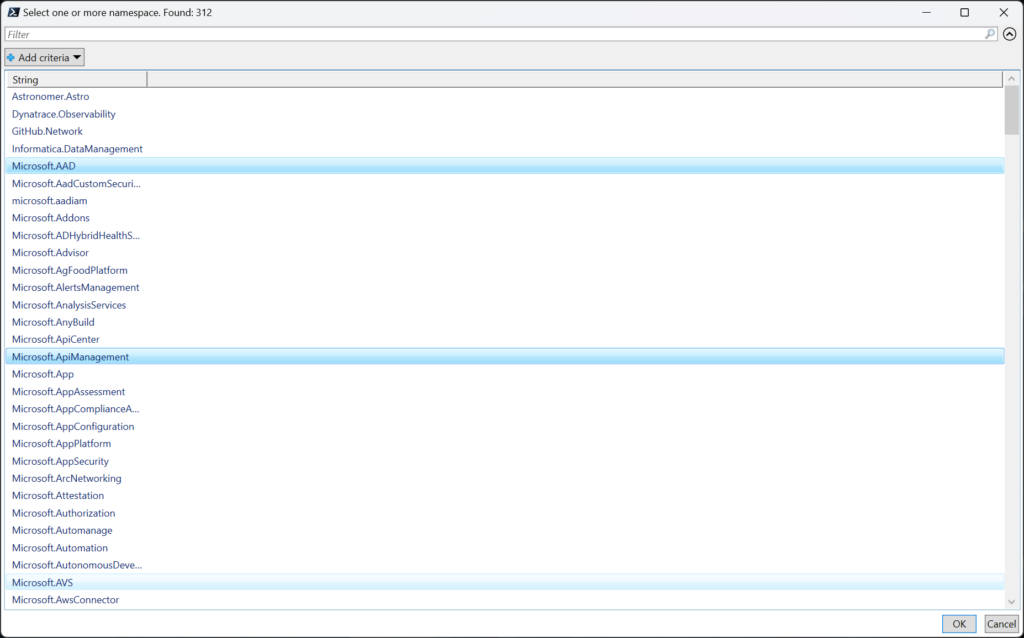
Select one or more namespaces (use Ctrl/Shift for multi-selection), then click OK. Cancel should be treated as no selection, not an error.
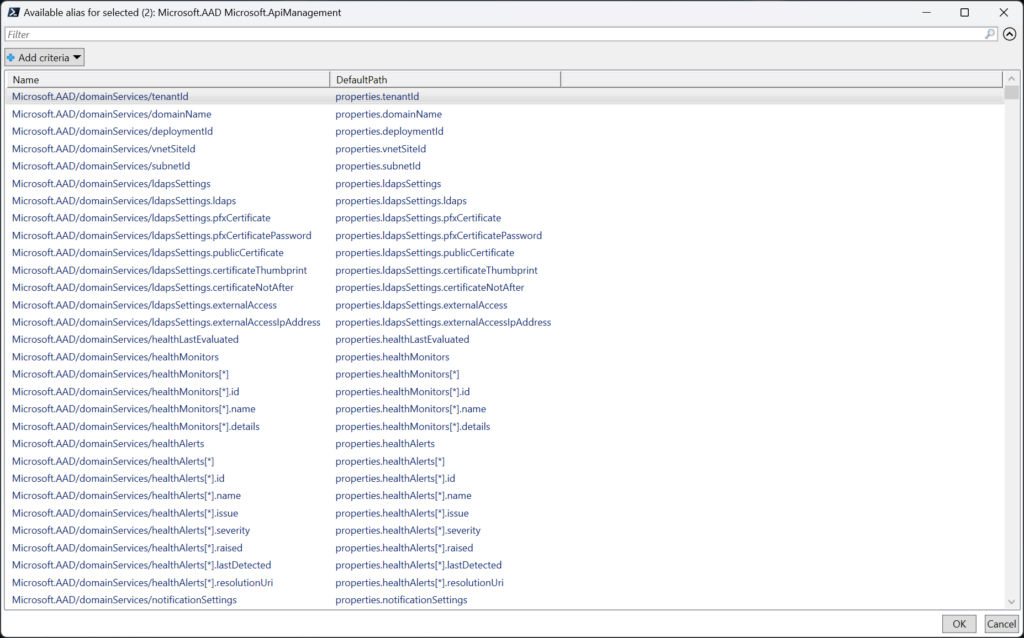
You'll then see all available aliases for the selected resources:
Read and use the result
The final grid shows Name and DefaultPath. Selecting a row returns that object to the PowerShell pipeline; it does not automatically copy it. Copy the Name value for your policy and verify the property/type against a sample resource.
Here is the script:
# List all namespaces available in Azure Policy
$AllNamespaces = (Get-AzPolicyAlias -ListAvailable).Namespace | Sort-Object | Get-Unique

# Select the namespaces you want to work with
$SelectedNamespaces = @()

$AllNamespaces | Out-GridView -Title "Select one or more namespace. Found: $($AllNamespaces.count)" -OutputMode Multiple |
    ForEach-Object { $SelectedNamespaces += $_ }

# Get all aliases available in the selected namespaces
$AvailableAliases = @()

foreach ($Namespace in $SelectedNamespaces) {
    $AvailableAliases += (Get-AzPolicyAlias -NamespaceMatch $Namespace).Aliases | Select-Object Name, DefaultPath
}

# List all aliases available in the selected namespaces
$AvailableAliases | Out-GridView -Title "Available alias for selected ($($SelectedNamespaces.count)): $($SelectedNamespaces)" -OutputMode Single