
Configure it, then govern its lifetime
Configure: identify the exact assignment and resource scope; select the initiative member only if needed; record reason, category and expiry. In the example below, policyAssignmentId is the assignment resource ID, while storageMinimumTlsVersion is the initiative's internal member reference, not a definition ID. The ticket, approval names and dates are illustrative, not evidence of a real approval.
Govern: request → authorised approval → create → verify the Exempt compliance state after evaluation → review before expiry → remove or renew only with a new decision. Expiry ends the exemption's effect; it is not a substitute for fixing the underlying resource.
Copyable review record:
Assignment ID and exact scope:
Initiative member reference(s), or entire assignment:
Category: Waiver / Mitigated
Reason and evidence:
Requester / approver / accountable owner:
ExpiresOn (UTC):
Review due before expiry:
Expected correction or compensating control:
Observed compliance after evaluation:
Decision at review:
Check permissions before creation. Treat scope validation and resource selectors as advanced options, not required steps. Technical execution validation: not recorded; use the official exemption structure for current supported properties.
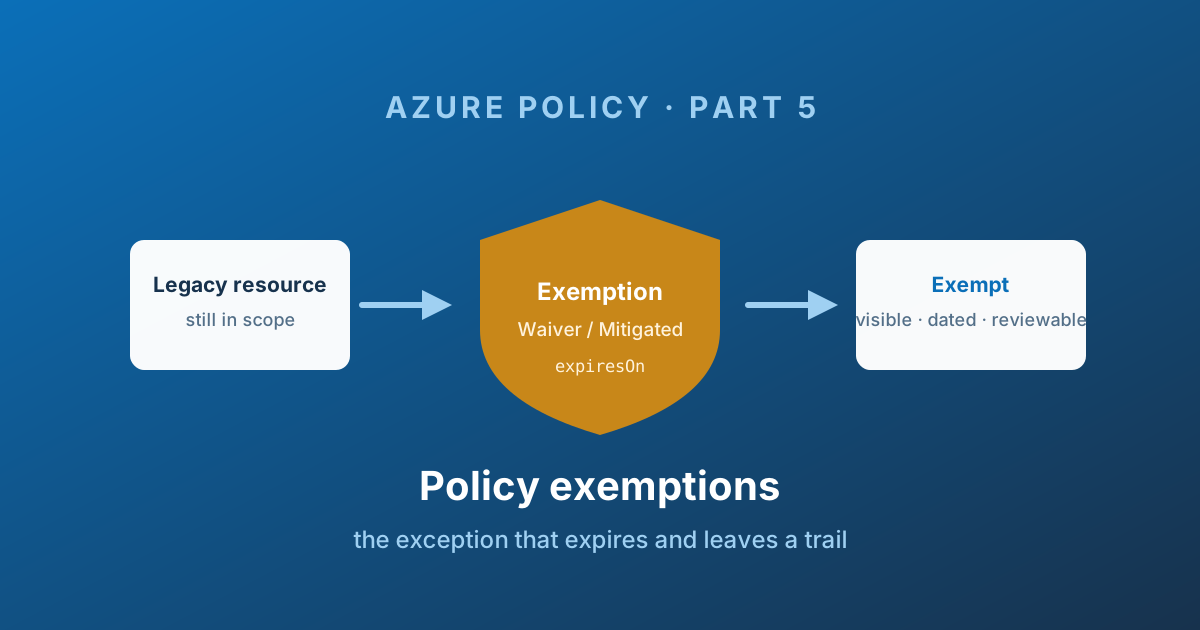
An exemption is a tracked exception, not an unrecorded scope omission.
Where an exclusion (Part 4) silently removes a scope from evaluation, an exemption keeps the resource in scope, keeps evaluating it, and records - as a first-class Azure object with its own lifecycle, permissions, and expiry date - that the failure is accepted, by whom, for what reason, and until when.
If you only take one thing from this series, take this: exclusions hide problems, exemptions document them.
Anatomy of an exemption
An exemption is a resource of type Microsoft.Authorization/policyExemptions, created as a child of the scope or resource being exempted, and pointing at one assignment.
{
  "name": "storage-legacy-tls-waiver",
  "type": "Microsoft.Authorization/policyExemptions",
  "properties": {
    "displayName": "Legacy payment gateway - TLS 1.2 waiver",
    "description": "Vendor appliance does not support TLS 1.2. Replacement contracted, cutover planned Q1. Accepted risk documented in RISK-2891.",
    "metadata": {
      "requestedBy": "Payments platform team",
      "approvedBy": "Security Architecture Board",
      "approvedOn": "2026-08-14T00:00:00.0000000Z",
      "ticketRef": "RISK-2891"
    },
    "policyAssignmentId": "/providers/Microsoft.Management/managementGroups/mg-corp-prod/providers/Microsoft.Authorization/policyAssignments/storage-security-baseline",
    "policyDefinitionReferenceId": [ "storageMinimumTlsVersion" ],
    "exemptionCategory": "Waiver",
    "expiresOn": "2027-03-31T23:59:00.0000000Z",
    "assignmentScopeValidation": "Default"
  }
}
Read it and you learn everything a reviewer or auditor needs: what is exempt, from which control, why, who approved it, when, and when it stops.
Compare that to a resource ID sitting in a notScopes array. The difference is the whole point.
The properties that matter
policyAssignmentId
An exemption always targets one assignment, not a definition and not an initiative.
This is worth pausing on. If the same initiative is assigned at the management group and the subscription - a common landing zone pattern - a resource failing both needs two exemptions. Teams routinely create one, see the resource still marked non-compliant, and assume exemptions are broken. They are not; there are two assignments.
policyDefinitionReferenceId
An array of initiative member reference IDs. This is the property that makes exemptions surgical.
Omit it and the exemption covers the entire assignment - all forty controls. Include one reference ID and the resource is exempt from that single member and still fully evaluated against the other thirty-nine.
That capability does not exist for exclusions at all, and it is usually the deciding argument.
The property is named policyDefinitionReferenceId - singular - but it takes an array. The newer policy enrollment resource uses the plural policyDefinitionReferenceIds. This is an easy mistake to make when copying between the two.
It is also why Part 2 pushed so hard on writing readable reference IDs. "policyDefinitionReferenceId": [ "storageMinimumTlsVersion" ] documents itself. "policyDefinitionReferenceId": [ "10420126870854049575" ] requires a reviewer to go and look it up, which means they will not.
exemptionCategory
Two values, and the distinction is not cosmetic:
| Category | Meaning |
|---|---|
Mitigated | The intent of the policy is met, through some other mechanism policy cannot see |
Waiver | Non-compliance is accepted, temporarily. The risk is real and someone has signed for it |
A VM without disk encryption in a subscription where encryption is enforced by a host-level control is Mitigated. A legacy appliance stuck on TLS 1.1 until the replacement ships is a Waiver.
Split them properly and your exemption list answers a question your risk register wants: how much accepted risk is currently outstanding? Every Waiver is a line item. Every Mitigated is a documentation gap in your control design, not a risk. Dump everything into one category and the list tells you nothing.
expiresOn
Optional. Always set it anyway.
An exemption with no expiresOn is an exclusion with better paperwork. It never comes back for review, and the "temporary" waiver granted for one quarter is still there three years later.
Behaviour at expiry is important and slightly counter-intuitive:
> The exemption object is not deleted when expiresOn is reached. It is preserved for record-keeping, but it is no longer honoured.
So the resource silently returns to being non-compliant, and the expired object stays in place as an audit record. That is good for evidence and bad for surprises: unless someone is watching, the day an exemption lapses is the day a deployment starts failing for reasons nobody connects to a decision made nine months ago.
Azure does not notify you before an exemption expires. There is no built-in reminder. If expiry matters to you - and it should - you need a report of exemptions expiring in the next 30 days, driven from Azure Resource Graph or your policy-as-code tooling. This is exactly the sort of thing the operational scripts in Part 7 exist for.
assignmentScopeValidation
Values Default or DoNotValidate, still marked preview.
By default an exemption must sit within the scope of the assignment it targets. DoNotValidate relaxes that, which exists for a specific real-world scenario: moving a subscription between management groups, where the destination management group's policies would block the move before you can create an exemption in the destination. Create the exemption first with validation off, then move.
Do not use it as a general convenience. An exemption outside its assignment's scope is confusing to everyone who reads it later.
resourceSelectors, including identity-based exemptions
Exemptions support resourceSelectors with kinds resourceLocation, resourceType, resourceWithoutLocation, and - more recently - userPrincipalId and groupPrincipalId.
That last pair changes the model. Instead of "this resource is exempt", you can say "this group of people is exempt from this control":
"properties": {
  "policyAssignmentId": "/subscriptions/.../providers/Microsoft.Authorization/policyAssignments/vm-sku-restriction",
  "displayName": "Allow large VM SKUs for the HPC engineering group",
  "description": "Members of the HPC engineering group may deploy GPU SKUs for model training.",
  "exemptionCategory": "Waiver",
  "resourceSelectors": [
    {
      "name": "AllowedGroups",
      "selectors": [
        {
          "kind": "groupPrincipalId",
          "in": [ "<HighPrivEngGroupId>" ]
        }
      ]
    }
  ]
}
This is a genuinely new governance shape: a deny that applies to everyone except a named, auditable Entra ID group. Before this, expressing "only the platform team may create public IPs" meant building the control in RBAC and hoping the two systems agreed.
Compliance state, and the substate
An exempt resource shows compliance state Exempt - not compliant, not non-compliant. It remains visible in the compliance blade, and it counts toward your overall compliance figure.
There is also a compliance substate, which is the genuinely useful part:
> The compliance substate shows what the resource's compliance state would be if the exemption were removed.
So you can answer the question that actually matters at review time: is this exemption still needed? If the substate says the resource would now be compliant, the vendor shipped the fix, the team upgraded, and the exemption can be deleted.
It is not a property you set - Policy Insights populates it. In the portal, add the column via Edit columns on the resource compliance list:

Source: Get policy compliance data - © Microsoft, Microsoft Learn.
Or query it:
policyresources
| where type == "microsoft.policyinsights/policystates"
| extend complianceState = tostring(properties.complianceState),
         complianceSubState = tostring(properties.stateDetails.complianceSubState),
         resourceId = tostring(properties.resourceId),
         policyAssignmentId = tostring(properties.policyAssignmentId)
| where complianceState == "Exempt"
| project resourceId, policyAssignmentId, complianceState, complianceSubState
If you want more of this kind of thing, I keep a running set here: KQL Query Collection.
Permissions
Creating an exemption needs more than write access to the exemption itself:
Microsoft.Authorization/policyExemptions/writeon the target scope. Resource Policy Contributor and Security Admin both have it.- The
exempt/Actionverb on the target policy assignment. This is the deliberate second gate: you cannot exempt yourself from an assignment you have no relationship with.
Policy Insights Data Writer gets read access only.
This split is the operational advantage of exemptions over exclusions. An exclusion requires write access to the assignment - a central object that governs hundreds of subscriptions - so only the platform team can ever grant an exception, and every request becomes a ticket to them. Exemption rights can be delegated to a subscription owner without giving them the ability to weaken the baseline for anyone else.
Whether you should delegate is a policy decision, not a technical one. My preference: delegate Mitigated in non-production, keep Waiver in production centrally approved.
Lifecycle traps
Exemptions are deleted with their parent. An exemption is a child object of the scope or resource it exempts. Delete the resource group, and the exemption goes with it. Recreate the resource group with the same name and the exemption does not come back. If your exemptions are not in source control, they are one terraform destroy from being lost.
They cannot be created at resource provider component level. Exemptions work with Microsoft.Kubernetes.Data, Microsoft.KeyVault.Data and Microsoft.Network.Data assignments, but not against individual components inside them. You cannot exempt one pod.
There is a limit of 1,000 exemptions per scope. Generous. If you are approaching it, the baseline is wrong, not the limit.
displayName is capped at 128 characters and description at 512. Put the summary in the description and the detail in your ticketing system, referenced from metadata.
Making exemptions work as a process
The technology is the easy part. What makes exemptions valuable is treating them as a workflow rather than a config change.
- Require a ticket reference in
metadata. No ticket, no exemption. It is one line of JSON and it is the difference between an audit trail and a shrug. - Set
expiresOnon every single one. Ninety days is a good default for aWaiver. If a team needs longer, that is a conversation, which is the point. - Report weekly on exemptions expiring within 30 days. Nothing in Azure does this for you.
- Review
Waiverexemptions monthly using the compliance substate. Anything whose substate says Compliant gets deleted the same day. - Track
Waivercount as a metric. Not the compliance percentage - the compliance percentage is trivially improved by granting exemptions. The number of outstanding accepted risks is the number that tells you whether governance is working. - Keep them in Git. Which brings us to the rest of the series.
Point 5 deserves emphasis. A 98% compliance score with 400 open waivers is worse than an 85% score with 12. If your reporting cannot distinguish those two situations, it is measuring the wrong thing.
The five objects, complete
That is the whole model:
| Object | One-line summary |
|---|---|
| Definition | A rule: if this, then that. Inert until assigned. |
| Initiative | A named, parameterised group of definitions. Also inert. |
| Assignment | Binds a definition or initiative to a scope. This is what turns things on. |
| Exclusion | A hole in an assignment's scope. Invisible, permanent, blunt. |
| Exemption | A documented, dated, attributable accepted failure. Visible and reviewable. |
Every one of them is JSON. Every one of them has a lifecycle, dependencies on the others, and a blast radius measured in subscriptions.
Which is precisely why clicking them together in the portal stops working the moment you have more than a handful - and why the second half of this series is about managing all five as code.
Part 6 covers what Azure Policy as Code actually means, the deployment ordering problem, drift, and why the portal export button is not the answer.
Enjoy!