
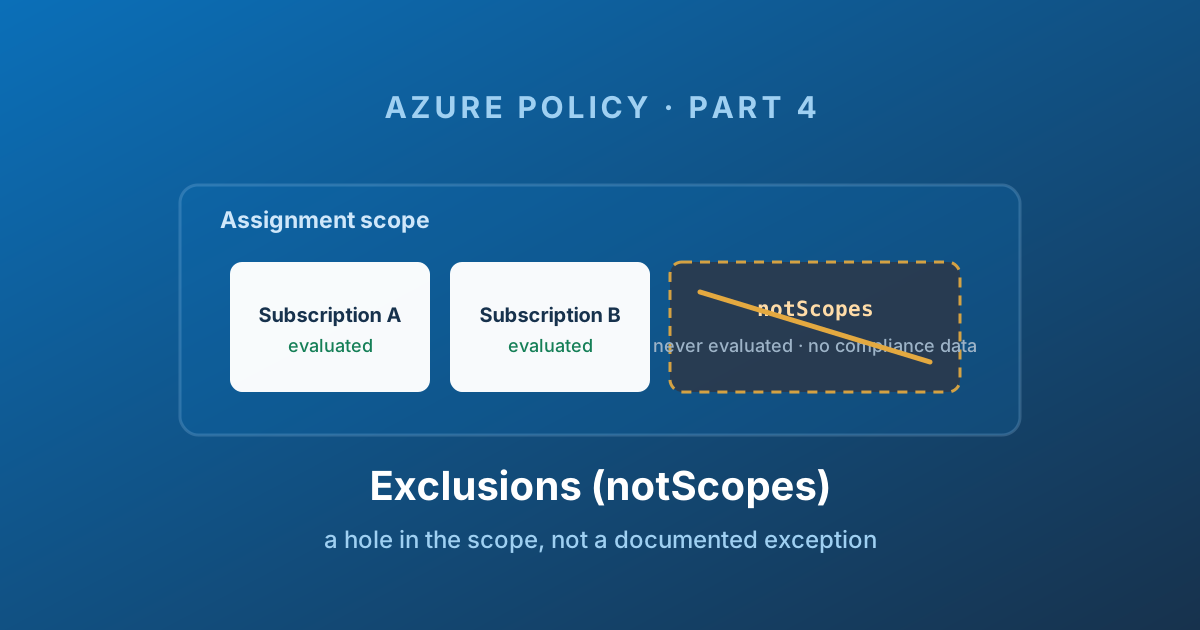
Decide before editing notScopes
Excluded resources disappear from this assignment's compliance denominator. Use an exclusion for a deliberate structural boundary; use an exemption for a tracked exception with a reason, owner and review/expiry. The comparison and decision rule follow this summary.
Three risks to review: no expiry, no recorded reason, and no member-level granularity. Check each against your inventory, change record and initiative membership before saving.
Copy this decision record into your team's register (or print the article); replace every placeholder with actual evidence:
Assignment ID:
Exact excluded scope and descendants:
Decision: exclusion / exemption
Reason structural exclusion is required:
Controls lost from evaluation:
Owner and approving authority:
Ticket and supporting evidence:
Next review date:
How to remove the exclusion:
After a change, compare the compliance denominator and excluded scopes to this record. Check for overlapping assignments rather than assuming one exclusion relaxes them all. Technical execution validation: not recorded; see exemption structure for the tracked alternative.
Every governance estate eventually needs to distinguish a structural boundary from an accepted exception.
Azure Policy gives you two ways to say "not this one": an exclusion and an exemption. They sound like synonyms. They are not remotely the same thing, and reaching for the wrong one is the single most common way a policy estate loses credibility.
This post is about the blunt one.
Exclusion versus exemption, in one table
Part 5 covers exemptions properly. Here is the comparison you need now:
| Criterion | Exclusion (notScopes) | Exemption |
|---|---|---|
| What it is | A property inside the assignment | A separate Resource Manager object |
| Where it lives | On the assignment | As a child of the exempted scope or resource |
| Resource is evaluated | No | Yes |
| Appears in compliance | No - invisible | Yes - state Exempt |
| Can expire | No | Yes, via expiresOn |
| Records a reason | No | Yes - category, description, metadata |
| Can target one member of an initiative | No | Yes, via policyDefinitionReferenceId |
| Requires editing the assignment | Yes | No |
| Who can create it | Whoever can edit the assignment - the platform team | Can be delegated to the scope owner |
| Suits | Broad, permanent, structural carve-outs | Specific, time-bound, justified exceptions |
The last two rows are the operational heart of it. An exclusion is a change to a central object, made by the central team, with no expiry and no recorded reason. An exemption is a self-contained, dated, attributable object that can be delegated.
Microsoft's own guidance says it plainly: exclusions are for permanently bypassing evaluation for a broad scope, such as a test environment that does not need the same level of governance. Exemptions are for time-bound or specific scenarios where the resource should still be tracked.
The decision rule
Ask three questions, in order.
- Is this permanent and structural? If yes, an exclusion may be right. If it is "until we upgrade", it is an exemption.
- Do I need this scope to disappear from compliance reporting, or do I need it visible and flagged? Auditors, in my experience, want the second one.
- Does the whole assignment not apply, or just part of it? Just part means exemption -
notScopescannot do it.
Anything that fails one of those three is an exemption.
What an exclusion is
An exclusion is a property on a policy assignment called notScopes. It is an array of scope IDs that are carved out of the assignment's reach.
{
  "properties": {
    "displayName": "Storage security baseline - Production",
    "policyDefinitionId": ".../policySetDefinitions/storage-security-baseline",
    "scope": "/providers/Microsoft.Management/managementGroups/mg-corp-prod",
    "notScopes": [
      "/subscriptions/00000000-0000-0000-0000-000000000000",
      "/subscriptions/11111111-1111-1111-1111-111111111111/resourceGroups/rg-vendor-appliance"
    ],
    "enforcementMode": "Default",
    "parameters": {
      "effect": { "value": "Deny" }
    }
  }
}
Read literally: this baseline applies to everything under mg-corp-prod, except that one subscription and that one resource group.
Exclusions inherit like scopes do. Excluding a management group excludes everything beneath it. Excluding a resource group excludes every resource inside it.
In the portal it is a picker on the assignment - subscription, resource group, or individual resource - and what it writes is exactly the array above:
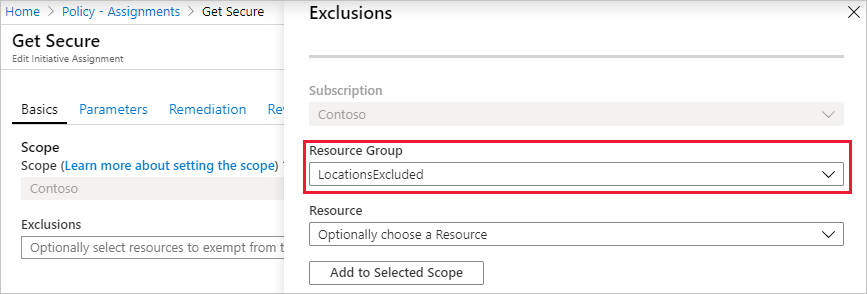
Source: Tutorial: Build policies to enforce compliance - © Microsoft, Microsoft Learn.
The one thing you must understand
Here is the sentence that decides whether you use exclusions correctly:
> Resources within an excluded scope are not evaluated and are not included in the compliance count.
Not "evaluated and marked as an accepted exception". Not "shown in amber". Not evaluated at all.
The excluded subscription does not appear in the compliance blade for that assignment. It does not count as compliant, and it does not count as non-compliant. It simply is not there. Your dashboard says 100% and you have no idea whether the excluded scope would pass or fail, because nobody asked the question.
That is not a bug - it is exactly what notScopes is for. But it means an exclusion is a blind spot you created on purpose, and blind spots need to be deliberate and few.
Why exclusions rot
Three structural properties make notScopes a source of governance debt.
No expiry
An exemption has expiresOn. An exclusion has nothing. A subscription excluded in March 2023 "just until the migration finishes" is still excluded today, and nothing in Azure will ever tell you.
No reason
An exemption has an exemptionCategory, a description, and free-form metadata where you can record a ticket reference, an approver, and an approval date. An exclusion is a bare resource ID in an array. Six months later, nobody knows who added it or why. If it is not in your Git history, the information does not exist anywhere.
No granularity within an initiative
This is the constraint that pushes people toward exemptions whether they like it or not.
notScopes excludes a scope from the entire assignment. If you assign a forty-control security baseline and one subscription cannot meet one control, an exclusion removes all forty controls from that subscription. You wanted to relax a single rule and you switched off the whole standard.
An exemption can target a single policyDefinitionReferenceId within an initiative. That is usually the difference between a defensible exception and a hole.
This is the failure mode I see most often in real estates: a broad exclusion added to solve a narrow problem. One control blocked a deployment, someone excluded the subscription from the assignment to unblock it, and now that subscription has no storage governance, no tagging, and no diagnostic settings - and it does not appear anywhere in the compliance report to tell you so.
Side effects people miss
No compliance data means no remediation. Remediation tasks act on evaluated, non-compliant resources. An excluded scope produces neither, so deployIfNotExists will never fix anything there. If you excluded a subscription to stop a deny from blocking deployments and that same assignment also deploys your diagnostic settings, you have just silently switched off your logging pipeline for that subscription.
Exclusions are per-assignment. If the same initiative is assigned at three levels of the hierarchy - a common landing zone pattern - excluding a subscription from one of them does nothing about the other two. The inherited assignment from further up still applies. Teams regularly add an exclusion, see no change, and conclude that policy is broken.
They can be added and removed after creation. notScopes is editable on a live assignment, which is convenient and also means it can be changed with no ceremony by anyone with write access to the assignment.
There is a limit: 400 exclusions per assignment. If you are anywhere near that number, the problem is not the limit.
When an exclusion is genuinely right
I have been hard on notScopes, so let me be fair. There are cases where it is clearly the correct tool:
- A sandbox management group. Its entire purpose is to be ungoverned. Excluding it from the production baseline is a structural statement about your hierarchy, not an exception. It is permanent by design, and the absence of compliance data is correct - you do not want sandbox noise in your regulatory reporting.
- Platform-managed resource groups you do not control. Databricks managed resource groups, AKS node resource groups, Synapse managed resource groups. You cannot change what Azure creates in them, they will fail controls forever, and every evaluation is pure noise. Excluding them by pattern is standard practice.
- A scope governed by a different assignment. When one subscription needs a materially different baseline, excluding it from the general assignment and giving it its own is cleaner than an exemption list forty entries long.
- A tenant you manage but do not own. In multi-tenant or Azure Lighthouse arrangements, some scopes are simply out of your remit.
The common thread: the exclusion reflects a permanent structural boundary, not a temporary inability to comply.
Documenting them anyway
If you do use exclusions, the missing metadata is a problem you have to solve outside Azure, because the object gives you nowhere to put it. In practice that means the assignment JSON lives in Git and every entry in notScopes is justified in the pull request that introduced it:
"notScopes": [
  // Sandbox MG - ungoverned by design. Platform standard PS-014.
  "/providers/Microsoft.Management/managementGroups/mg-sandbox",

  // Databricks managed RGs - Azure-controlled, cannot be remediated.
  // Reviewed 2026-06-01, owner: data-platform team.
  "/subscriptions/.../resourceGroups/databricks-rg-analytics-prod"
]
Comments like these only survive if your source of truth is a .jsonc file in a repository rather than the portal - which is the entire argument of Part 6, and the reason tools like EPAC support globalNotScopes with resource group name patterns as a first-class concept.
And once a quarter, someone has to read the list and ask whether each line is still true. Azure will never prompt you.
Where next
An exclusion says do not look here. That is occasionally what you want and usually not.
What you normally want is: look here, evaluate this, tell me it fails, but accept the failure until 31 March because the CAB approved it and here is the ticket.
That object exists, it is a proper Resource Manager resource with its own lifecycle and RBAC, and it recently gained the ability to exempt by user or group identity rather than by resource. Part 5 covers exemptions.
Enjoy!