
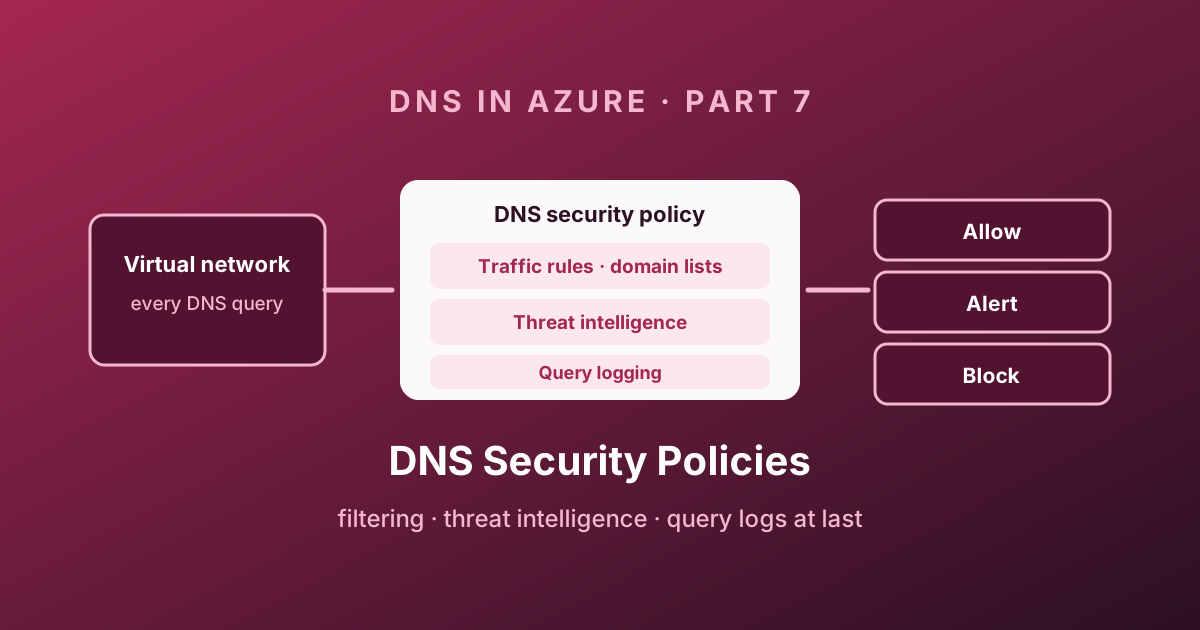
Six parts in, one complaint has come up in every single one: you cannot see what the platform resolver is doing. 168.63.129.16 answers queries and keeps no receipts. For years the only way to get DNS logs in Azure was to put a VM in the path - which meant building, sizing, patching and monitoring a DNS server whose sole purpose was to write a log file.
DNS resolver policy ends that. It filters and logs DNS at the virtual network level, covers both public and private traffic, and needs no infrastructure at all. This post is about how it works and how to roll it out without blocking your own control plane.
Why DNS is a security control
Start with the object chain: regional resolver policy → VNet link → traffic rules → referenced domain lists. Diagnostic settings send observations to your chosen logging destination. Customer-managed domain lists and the Microsoft threat-intelligence list have different owners; treat neither as automatically appropriate for blocking.
Evaluation example: a priority 100 allow rule for contoso.com matches app.contoso.com; a lower-priority 300 block rule for that child does not win over that higher-priority allow. Inspect both priority and parent-domain matching instead of reading rules as an unordered list. Confirm current semantics in DNS security policy documentation .
Rollout checklist: inventory resolver paths → enable logging → observe with Alert → review proposed exceptions and query dependencies → trial a narrow Block rule → test allowed and blocked names → retain a documented reversal path. These are gates, not a guarantee that a deployment cannot disrupt service.
Technical execution validation and limits review date: not recorded. Validate feature availability, rule behaviour and the actual workspace schema before applying examples.
Almost every attack begins with a name lookup. Command-and-control beacons, data exfiltration over DNS tunnels, phishing payload retrieval, cryptominers - they all need to resolve something before they can do anything else.
That makes the resolver the cheapest chokepoint in the whole estate. You do not need to decrypt traffic, terminate TLS, or deploy an agent. You need to see the question and decide whether to answer it.
Two things follow, and both matter:
- Detection. A host querying a known malicious domain is compromised, or on its way to being. That signal arrives before the connection does.
- Prevention. Refusing to answer stops the connection from ever being attempted, without a single firewall rule.
Anatomy of a resolver policy
Four objects, and the relationships between them are what you need to hold in your head.
| Object | Type | Role |
|---|---|---|
| DNS resolver policy | Microsoft.Network/dnsResolverPolicies | The container. Regional |
| DNS domain list | Microsoft.Network/dnsResolverDomainLists | A named list of domains. Regional |
| DNS traffic rule | Child of the policy | Priority + domain lists + action |
| Virtual network link | Child of the policy | Applies the policy to a VNet |
  ┌────────────────────── DNS resolver policy (westeurope) ──────────────────────┐
  │                                                                              │
  │  Traffic rules (evaluated by priority, 100 → 65000)                          │
  │    100  rule-allow-corp        → [allowlist-corp]        → Allow             │
  │    200  rule-block-threatintel → [Azure DNS threat intel]→ Block             │
  │    300  rule-block-categories  → [blocklist-1, gambling] → Block             │
  │  65000  rule-log-everything    → ["."]                   → Alert             │
  │                                                                              │
  │  Virtual network links:  vnet-spoke-a   vnet-spoke-b   vnet-hub              │
  └──────────────────────────────────────────────────────────────────────────────┘
                    │
                    ▼  diagnostic settings
     Log Analytics workspace / Storage account / Event Hub
The structural rules that shape a design:
- A policy applies only to virtual networks in its own region. Plan one policy per region you operate in.
- The policy-to-VNet relationship is 1:N. One policy can cover many VNets, but a VNet can be linked to exactly one policy. You cannot layer a central security policy under a team's own.
- Domain lists must be in the same region as the policies that reference them, but one list can be referenced by many rules across many policies.
- Every traffic rule needs at least one domain list; a rule can reference several.
az extension add --name dns-resolver

az dns-resolver policy create \
  --name pol-dns-weu \
  --resource-group rg-dns-hub \
  --location westeurope

az dns-resolver policy vnet-link create \
  --policy-name pol-dns-weu \
  --name link-spoke-a \
  --resource-group rg-dns-hub \
  --location westeurope \
--virtual-network id="<vnet-spoke-a-id>"This applies at the virtual network level and covers everything inside it, regardless of whether the VNet uses Azure-provided DNS, a private resolver inbound endpoint, or a forwarding ruleset. It is not tied to the Private Resolver from Part 3 - the two are independent features that happen to work well together.
Traffic rules and how they are evaluated
Each rule carries a priority between 100 and 65000. Lower is higher priority. And there are two evaluation behaviours that are not obvious until they bite you.
Allow wins over block. If a domain is blocked by a low-priority rule and allowed by a higher-priority one, the domain is allowed. This is an allow-list-friendly model: you put your exceptions at low priority numbers and your broad blocks below them.
Rules follow the DNS hierarchy. If contoso.com is allowed by a higher-priority rule, then sub.contoso.com is allowed too - even if a lower-priority rule explicitly blocks sub.contoso.com. Allowing a parent domain implicitly allows everything under it.
| Action | Query answered? | Logged? | Use it for |
|---|---|---|---|
| Allow | Yes | Yes | Explicit exceptions, and logging traffic you care about |
| Alert | Yes | Yes, as an alert | Everything you are evaluating before you dare block it |
| Block | No | Yes | Confirmed-bad domains |
A blocked query does not fail with SERVFAIL. It is answered with a CNAME to blockpolicy.azuredns.invalid, which resolves to nothing:
dig @168.63.129.16 db.sec.contoso.com

# ;; ANSWER SECTION:
# db.sec.contoso.com.  1006632960  IN  CNAME  blockpolicy.azuredns.invalid.
That sentinel name is genuinely useful - it is an unambiguous marker in a packet capture or an application log that DNS policy, not the network, refused the request.
CNAME chains are chased. A rule that matches malicious.contoso.com also applies to adatum.com if malicious.contoso.com appears anywhere in adatum.com's CNAME chain. Attackers cannot hide behind an alias.
Domain lists
A domain list is exactly what it sounds like: a named, regional list of domain names. You can type them in, or import a CSV, which is how you get a threat feed from somewhere else into Azure.
Wildcards are supported, including the root - a list containing . matches every domain there is.
az dns-resolver domain-list create \
  --name dl-blocklist-1 \
  --resource-group rg-dns-hub \
  --location westeurope \
  --domains "malicious.contoso.com" "exploit.adatum.com"

az dns-resolver policy dns-security-rule create \
  --policy-name pol-dns-weu \
  --name rule-block-known-bad \
  --resource-group rg-dns-hub \
  --location westeurope \
  --priority 300 \
  --action '{action-type:Block}' \
  --dns-resolver-domain-lists '[{id:"<domain-list-id>"}]' \
--dns-security-rule-state EnabledA . domain list with a Block action will take down your entire estate, including the Azure services your VMs depend on to boot, authenticate, and be managed. Use . with Alert for visibility. If you ever need a default-deny posture, build the allow-list first, run it in Alert for weeks, and only then invert it.
The threat intelligence feed
The managed option: Microsoft's Security Response Center maintains a domain list of known malicious domains, continuously updated, and exposes it as a selectable list called Azure DNS threat intel.
You use it like any other domain list - reference it from a traffic rule, choose Alert or Block, set a priority. There is nothing to download, curate, or expire.
| Mode | What you get |
|---|---|
| Alert | Full visibility of hosts resolving known-bad domains, with zero risk of breaking anything |
| Block | Prevention. Resolution fails before the connection is attempted |
Start in Alert. Run it for a couple of weeks, see what turns up, and then flip to Block once you know what is in your own traffic. In most estates the alert volume is close to zero, which makes the eventual switch easy to sign off - and the exceptions you do find are usually security tooling doing something that looks malicious on purpose.
Query logging: the part you have been waiting for
Run the following KQL in the Log Analytics workspace receiving these diagnostic logs, not Resource Graph. First confirm the table/column schema and time range. Expected records identify time, client, query and verdict; absence of rows may mean missing diagnostics or ingestion delay, not no DNS activity.
For a blocked-resolution diagnosis, capture the returned name/verdict, correlate client and timestamp with the matching rule, inspect the domain list and priority, then test the specific name after an approved change. Do not disable the whole policy just to make one lookup succeed.
Configure diagnostic settings on the resolver policy and send logs to a Log Analytics workspace, a storage account, or an Event Hub. Queries land in the DNSQueryLogs table.
Each record gives you the query name and type, the source IP, the resolution path, the operation result, and the policy verdict:
DNSQueryLogs
| where TimeGenerated > ago(1h)
| project TimeGenerated, SourceIpAddress, QueryName, QueryType,
          ResolutionPath, ResolverPolicyRuleAction, OperationName
| take 100
A few queries that earn their keep immediately.
Who is being blocked, and for what:
DNSQueryLogs
| where TimeGenerated > ago(24h)
| where ResolverPolicyRuleAction == "Block"
| summarize Blocked = count(), Domains = make_set(QueryName, 20)
    by SourceIpAddress
| order by Blocked desc
Private endpoint names that resolved publicly - the audit for the fallback behaviour from Part 6:
DNSQueryLogs
| where TimeGenerated > ago(7d)
| where QueryName has ".privatelink."
| where ResolutionPath !contains "PrivateDnsResolution"
| summarize Count = count() by QueryName, SourceIpAddress
| order by Count desc
Possible DNS tunnelling - long labels and abnormal query volume to one parent domain:
DNSQueryLogs
| where TimeGenerated > ago(1h)
| extend parent = strcat_array(array_slice(split(QueryName, "."), -2, -1), ".")
| summarize Queries = count(), MaxLabel = max(strlen(tostring(split(QueryName, ".")[0])))
    by SourceIpAddress, parent
| where Queries > 500 and MaxLabel > 40
| order by Queries desc
Failures, so you find broken things before your users do:
DNSQueryLogs
| where TimeGenerated > ago(6h)
| where OperationName !startswith "RESPONSE_SUCCESS"
| summarize Failures = count() by QueryName, OperationName
| order by Failures desc
| take 50Budget for the volume. DNS is chatty - a few thousand VMs will generate a lot of rows, and Log Analytics is priced per GB ingested. Consider a Basic Logs table or an Event Hub with a cheaper downstream sink if you only need retention for forensics.
Limits
| Item | Limit |
|---|---|
| Resolver policies | 1,000 |
| DNS traffic rules per policy | 100 |
| Domain lists | 2,000 |
| Domains per standard domain list | 100,000 |
| Large domain lists | 100 |
| Resolver policies per virtual network | 1 |
| Region scope | Policy and VNets must be in the same region |
The one that shapes designs is one policy per virtual network. If a central security team owns policies, application teams cannot add their own rules - build a request process for domain list entries rather than letting teams create competing policies they cannot link.
A rollout plan that will not break anything
DNS is the service where a mistake takes out everything at once. Roll it out in this order.
- Deploy a policy per region with no rules at all, and link one non-production virtual network.
- Turn on diagnostics to a Log Analytics workspace. Do nothing else for a week. You now have a baseline of what your estate actually resolves, which most organisations have never seen.
- Add a
.domain list with an Alert action at the lowest priority (65000). Everything is now logged and nothing is blocked. - Add the threat intelligence feed at Alert, at a higher priority. Review what it catches.
- Build the allow-list. Anything the platform genuinely needs - your own domains, your identity provider, your patching sources - goes in a list at priority 100 with an Allow action.
- Flip the threat intel rule to Block in non-production. Wait. Then production.
- Extend to production virtual networks one landing zone at a time, never all at once.
- Alert on the alerts. A rule that logs to a table nobody reads is not a control.
Before you block anything, work out how you would roll back if DNS resolution broke for a whole region and your remote access depended on it. The answer should not require a name lookup to reach.
Where this leaves the series
Seven posts in, the picture is complete: a resolver you cannot see is now a resolver you can query, filter, and audit. The DNS VM that existed only for logging has no reason to exist any more.
Part 8 ties everything together into an interactive decision tree - answer a few questions about where the client is, what it is resolving, and where the answer lives, and get the exact architecture and the configuration steps that go with it.
Enjoy!