
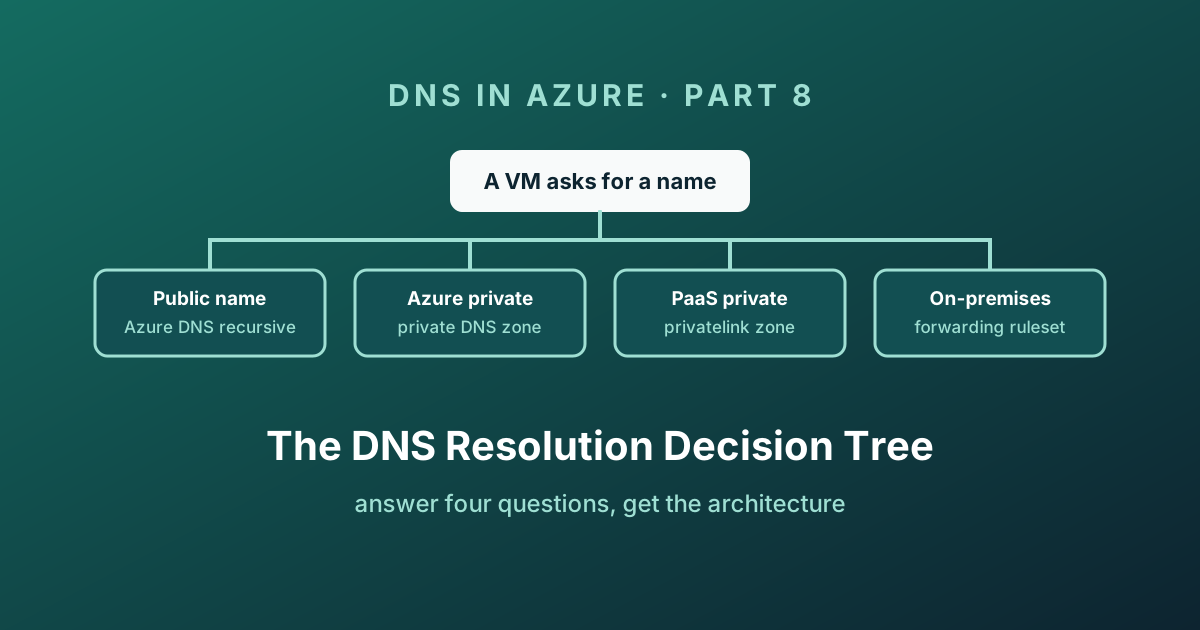
Answer a few questions to identify a resolution path, then verify it against your real client and network. Start the diagnostic or use all paths in text. Recommendations are design guidance; technical execution validation is not recorded.
The decision tree
Interactive
Azure DNS resolution decision tree
The tree above needs JavaScript. Everything it can tell you is also written out in the tables and the checklist below, so nothing is lost if you have it disabled or you are reading a printed copy.
The four questions behind it
Strip away the branches and the whole thing is four questions, asked in this order. Learning the order is more useful than memorising the outcomes.
- Where is the client? In a virtual network, or outside one. This decides whether the platform resolver is even in the path.
- What does the VNet's DNS servers setting say? Default means
168.63.129.16and everything the platform can do. Custom means your servers own the answer and linked private zones are invisible unless you forward. - What kind of name is it? Public, Azure private,
privatelink, or on-premises. Each has exactly one mechanism. - Who owns the record? You, Microsoft, or somebody else's tenant. This is the question that produces the
NxDomainRedirectconversation.
Every path at a glance
The same tree, flattened, for when you already know where you are going.
| Client | Name being resolved | Mechanism | What you configure |
|---|---|---|---|
| Azure VM | Public internet name | Azure DNS recursion | Nothing - keep DNS servers on Default |
| Azure VM | Public name, custom DNS servers | Your resolvers | Forward to 168.63.129.16 |
| Azure VM | VM in the same VNet | Azure-provided (internal.cloudapp.net) | Nothing |
| Azure VM | Private name, one VNet | Private DNS zone | Zone + virtual network link |
| Azure VM | Private name, hub and spoke | Private DNS zone | One zone, links to all spokes, or hub + resolver |
| Azure VM | Private name, isolated VNet | Private DNS zone | Zone link (no peering needed) |
| Azure VM | Own Private Endpoint, one VNet | privatelink zone | Zone + link + zone group + disable public access |
| Azure VM | Own Private Endpoint, at scale | privatelink zone | Hub zones + DeployIfNotExists policy |
| Azure VM | Partner's Private Link resource | Fallback | resolutionPolicy = NxDomainRedirect on the link |
| Azure VM | On-premises name, normal volume | Forwarding ruleset | Resolver in hub, spokes point at inbound endpoint |
| Azure VM | On-premises name, very high QPS | Forwarding ruleset | Ruleset linked per spoke, DNS setting stays Default |
| Azure VM | On-premises name, isolated VNet | Forwarding ruleset | Wildcard ruleset linked to that VNet |
| On-premises | Azure private zone record | Inbound endpoint | Conditional forwarder for the zone suffix |
| On-premises | Azure Private Endpoint | Inbound endpoint | Conditional forwarder for the public suffix |
| On-premises | Public Azure name | Normal public DNS | Nothing |
The evaluation order, one more time
Every outcome above is a consequence of this sequence. When something resolves to the wrong address, walk it from the top and you will find the cause before you reach the bottom.
  Query from a VM
        │
        ▼
  ┌─────────────────────────────────────────────┐
  │ 1. VNet DNS servers = custom?               │──yes──▶ your servers answer.
  └─────────────────────────────────────────────┘         Azure is out of the loop.
        │ no (Default)
        ▼
  ┌─────────────────────────────────────────────┐
  │ 2. Linked private DNS zone matches?         │──yes──▶ answered from the zone
  └─────────────────────────────────────────────┘         (or NXDOMAIN, unless
        │ no                                               NxDomainRedirect)
        ▼
  ┌─────────────────────────────────────────────┐
  │ 3. Forwarding ruleset linked to this VNet?  │──match─▶ out via outbound endpoint
  └─────────────────────────────────────────────┘          longest suffix wins
        │ no match
        ▼
  ┌─────────────────────────────────────────────┐
  │ 4. Azure DNS recursive lookup               │──────▶ public answer
  └─────────────────────────────────────────────┘
Two rules worth repeating because they cause most incidents:
- Zones beat rules. A linked private zone for
corp.internalalways wins over a forwarding rule forcorp.internal. The rule never fires. - A wildcard rule does not catch everything. Microsoft's reserved namespaces always resolve through Azure DNS, by design.
Troubleshooting, in the order that finds it fastest
- What is the VM actually using as a resolver?
Get-DnsClientServerAddressorresolvectl status. If it disagrees with the VNet setting, the DHCP lease is stale. - Run
digornslookupagainst168.63.129.16directly. If that works and the normal lookup does not, the problem is client-side. - Follow the CNAME chain. Does the public name redirect into
privatelink? Doesprivatelinkresolve to a private IP? - Is the zone name exactly the published one, and is it linked to this virtual network?
- Is there more than one zone with that name in the tenant? Check with Resource Graph.
- Is a private zone shadowing a forwarding rule for the same suffix?
- Is the private endpoint connection Approved? Perfect DNS and a Pending connection look identical from the client.
- Is there a route and a firewall opening for UDP and TCP 53, in both directions?
- Are you near the 10,000 QPS ceiling on an endpoint? Check Azure Monitor metrics before your users tell you.
- Turn on DNS query logging and stop guessing.
Closing the series
Eight posts, and it comes down to a handful of durable ideas:
- Every private query in a virtual network ends at
168.63.129.16, and the VNet's DNS servers setting decides who is asked first. - A private DNS zone only exists for the virtual networks you explicitly link, and it always beats a forwarding rule.
- The DNS Private Resolver adds the two hybrid directions the platform cannot do alone, driven by rulesets with a documented evaluation order.
- A Private Endpoint is a NIC. It does not close the public door, and it does nothing for you until DNS points at it.
- The
privatelinkCNAME chain means on-premises forwarders target the public suffix. - Fallback to internet fixes cross-tenant Private Link and quietly weakens your isolation story - choose it deliberately.
- DNS resolver policies finally give you logs and filtering without running a single VM.
If I had to compress all eight posts into one sentence: centralize DNS, and be able to draw the query path on a whiteboard. The architecture you can explain in thirty seconds is the one you will still be able to debug at 2 a.m.
Enjoy!